Engagement / Site visit
Site visit reports that keep the details straight
A customer visit can produce one business card and pages of observations. TripDeck helps turn your meeting notes and photos into a structured engagement report, with findings, risks, recommendations, and follow-up actions to review.
Start a 14-day trial without a card. A card is required when choosing a subscription through Stripe.
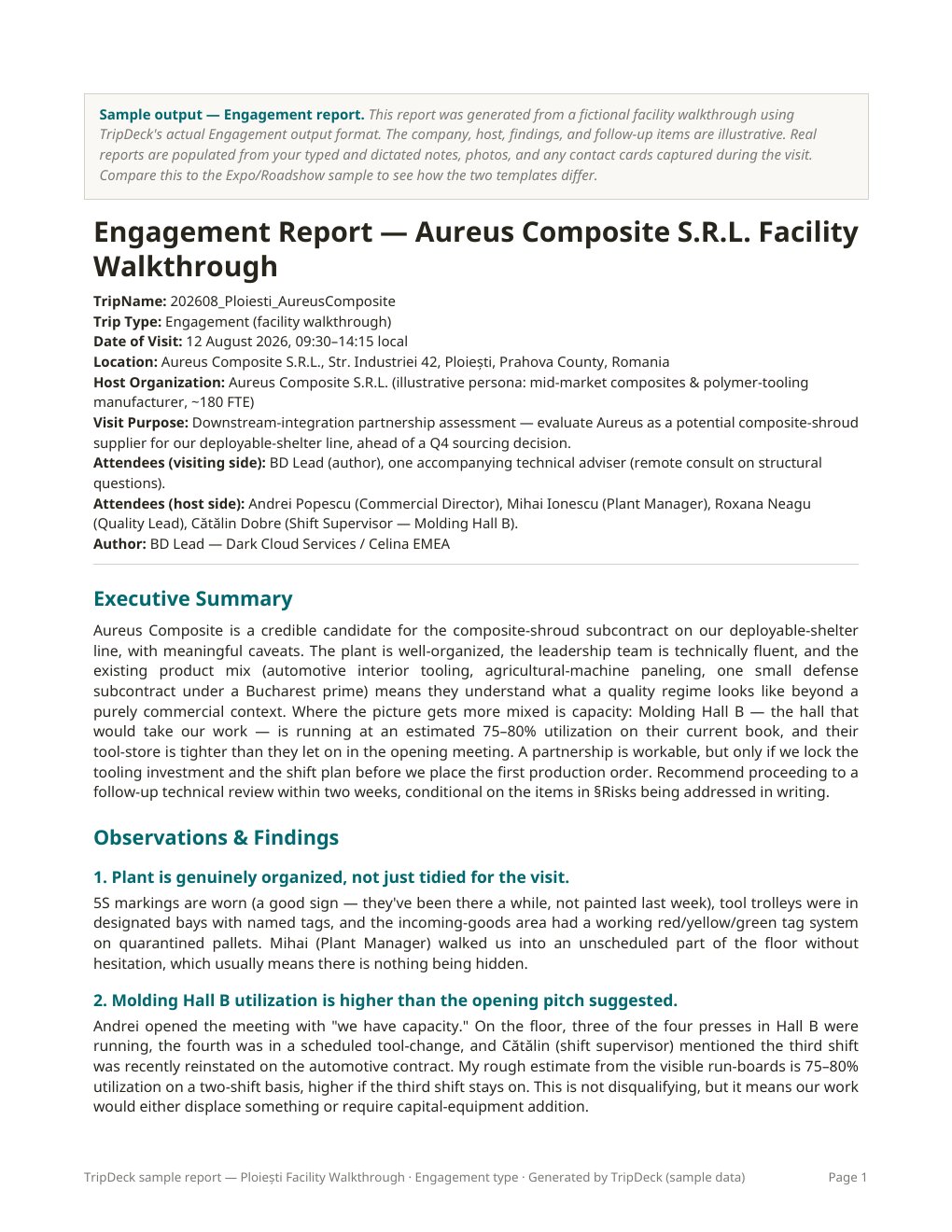
One visit, one coherent account
From walkthrough notes to a reviewable report
- Visit context and executive summary
- Record the host organization, location, date, attendees, and purpose. Give the reader the background needed to understand the engagement.
- Observations, findings, and supporting photos
- Capture what you saw and what participants told you. Add relevant photos and captions, and explain the context that an image alone cannot establish.
- Risks, recommendations, and next steps
- Review the generated analysis against your actual notes. Confirm who owns each action, what remains uncertain, and which recommendations still need technical or customer validation.
Good notes separate evidence from inference
What you saw is not the same as what you were told
Use the Engagement workflow for customer visits, partner assessments, supplier meetings, and facility walkthroughs. Capture observations in plain language; a polished paragraph is not required.
Distinguish a visible condition from a reported history or an untested explanation. That gives you a stronger basis for reviewing the report and prevents an assumption from becoming a supposed fact.
Keep the visit at the center
Background research is not a field finding
Lite organizes the visit information you provide without adding public web research. Deep adds public-source organizational context and more detailed analysis, informed by your business profile.
Neither replaces complete field notes or professional judgment. Review AI-generated findings and recommendations, and make sure sourced background is not presented as something observed or agreed during the visit.
The output is an editable Word report, delivered through connected Google Drive or direct download depending on your setup. Confirm the facts before sharing it with the customer or your team.
Site visit reporting questions
Before the next walkthrough
Is this a certified inspection or safety assessment tool?
No. TripDeck helps prepare business engagement reports. It is not a substitute for a qualified inspector, engineer, safety professional, or required inspection process.
Can I add photos from the visit?
Yes. Add relevant visit photos and context to support the notes. Review image placement and any interpretation before sharing; a photo does not establish a cause or a safety conclusion on its own.
Can I upload sensitive customer or defense information?
Do not upload CUI, classified information, ITAR-controlled technical data, or third-party proprietary information. An expression of interest in a future regulated tier is not authorization to use the current product for controlled information.
What if the trip includes many separate contacts?
Consider the Expo / Roadshow workflow when contact comparison and follow-up prioritization are the main purpose. The trip report software overview explains both options.
Start with your next conversation.
Bring your business context and notes. Review a report you can act on.
Use only information permitted by the Terms of Service. Do not upload CUI, classified information, ITAR-controlled technical data, or third-party proprietary information.